
Frontend development tips
References
Contents
Network errors when running npm install
This is usually caused by a VPN. Copy the proxy command into the terminal and run it.
- ClashX
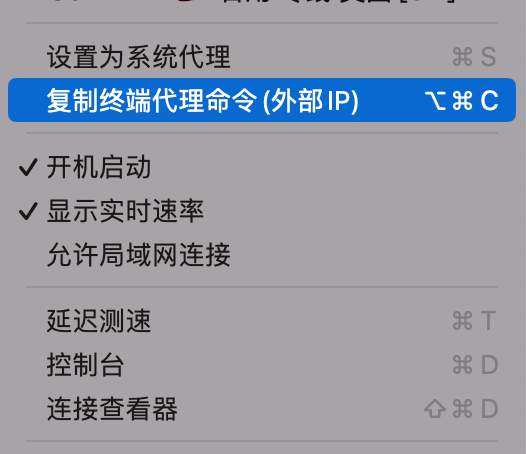
export https_proxy=http://127.0.0.1:62780 http_proxy=http://127.0.0.1:62780 all_proxy=socks5://127.0.0.1:62780- With Clash for Windows, enabling TUN mode is usually enough.
Note: npm produces all kinds of errors on Windows, which is not very beginner-friendly. macOS is nicer.
Figma design-file basics
- Drag with the middle mouse button.
- Hold Ctrl and click to select elements quickly.
- After selecting an element, hold Alt to inspect its spacing from other elements.
- After selecting an element, inspect its information in the lower-right corner and export it.
- Exporting has a scale-factor issue, so adjust it manually to a suitable value.
Tips for writing comments
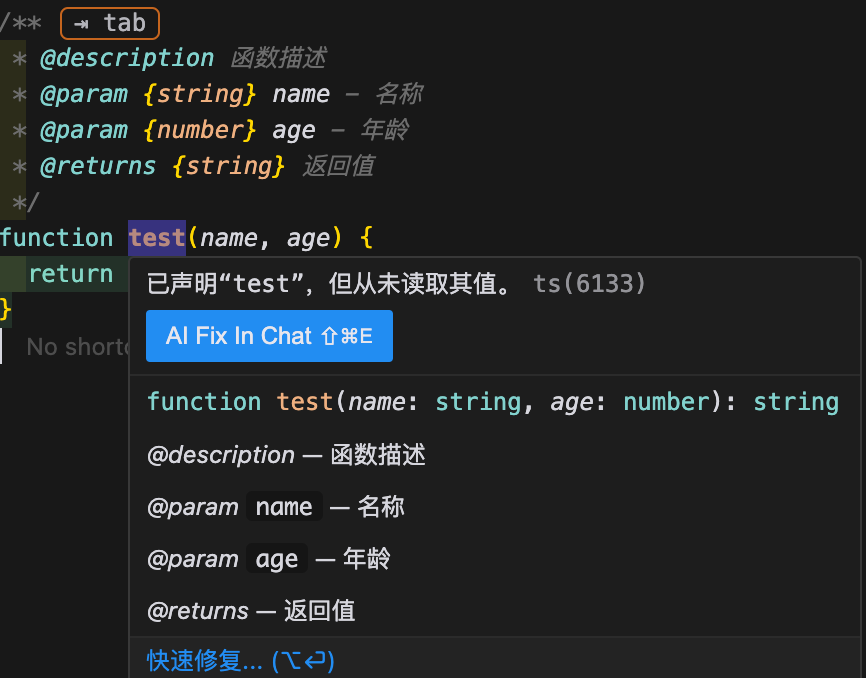
- JSDoc comments
/**
 * @description Function description
 * @param {string} name - Name
 * @param {number} age - Age
 * @returns {string} Return value
 */
You can specify types.
The project suddenly fails to start
- Someone may have installed new dependencies after a pull. Install the dependencies again.
- If that does not work, copy the error message and search Stack Overflow.
Things to remember when using an a tag
When using an a tag, in addition to setting href, you should generally set target="_blank" and rel="noopener noreferrer". target="_blank" opens the link in a new window or tab instead of the current page. rel="noopener noreferrer" is a security attribute that helps protect user privacy. noreferrer tells the browser not to send the Referer header when navigating to the target resource, so the target site does not learn which site the user came from. noopener tells the browser to remove the reference to the original page from the new page, preventing a malicious page from accessing the original page through window.opener and reducing the risk of cross-window scripting attacks. Together, these attributes prevent several potential security issues and are worth making a habit during development.
The difference between ^ and ~ in version numbers
Version 2.4.1 consists of:
-
2: major version (MAJOR) -
4: minor version (MINOR) -
1: patch version (PATCH) -
^: keep the major version unchanged, while allowing the minor and patch versions to update. For example,^2.4.1is less than3.0.0. -
~: keep the minor version unchanged, while allowing the patch version to update. For example,~2.4.1is less than2.5.0.
Both symbols help dependencies remain compatible while still receiving timely updates. When defining package.json, choose an appropriate versioning strategy to make the project’s dependency relationships more stable.
Problems and solutions when cloning a project with git clone
- When cloning a project for the first time on a new computer, configure an SSH key.

Any tutorial will do; there are plenty
- Network problems
export https_proxy=http://127.0.0.1:62780 http_proxy=http://127.0.0.1:62780 all_proxy=socks5://127.0.0.1:62780Reproducing a design file
- For the outermost container, avoid fixed width and height in general. Set
width: 100%andmax-width: 1920px, and let child elements determine the height. - Mobile designs mainly involve proportional issues. A common design width is 750px; adapting to mobile usually involves converting px to rem and related work.
Markdown notes
Click to expand details 🔎
The native HTML component can collapse content.
<details>
  <summary>Click to expand details 🔎</summary>
</details>- Todo-list syntax
- [x] Todo-list syntaxPasting images into Markdown notes
- VS Code supports pasting images natively.
- With configuration, you can paste images into a specified location, such as
/public/blog/{article_name}.
One important detail is:

Reference article
Port 5000 on macOS
- Port 5000 is a default macOS port. To use another port, close port 5000 first.
Use lsof -i :5000 to check whether the port is in use.
It turned out that AirPlay Receiver was using it.
Solution: turn it off in Settings.
Floor values and bitwise operations in JavaScript
>>> is the unsigned right-shift operator.
// console.log(1.221398 >>> 0); // 1It converts the value to a 32-bit integer and shifts all bits to the right by the specified number of positions, filling the left side with zeroes. When shifting by zero (>>> 0), no actual shift occurs, but the numeric conversion is triggered.
Debugging hover-based UI
- Use
setTimeout(()=> {debugger},3000);, hover the mouse, and wait for the debugger to pause (even better with Snippets). - Break on the parent element: in the Elements panel, right-click the parent element and choose Break on → subtree modifications.
Recommended reading: Chrome debugging techniques you may not know
